Access conditions
Put the practical station/platform constraints beside the itinerary rather than bury them in another page.
An independent accessible-rail planning concept exploring a deceptively simple question: how can people compare journeys not only by duration, but by step-free access, interchange demands, assistance information and what is still unknown? Access Atlas puts those considerations beside the route — before someone commits to travelling.
Fictional stations and journeys · not a real journey planner · demo choices aren't saved or sent
Access Atlas is a new, independently developed portfolio product concept. It is not a National Rail, Passenger Assist, Southeastern, train-operator or regulator service, and is not affiliated with or endorsed by them. It does not provide real travel guidance, live access information or booked assistance.
A train route might have a short journey time but a complicated change, uncertain lift availability or a gap in clear information about boarding assistance. A screen that shows only time and transfers can make important access decisions invisible. This concept tests a different information hierarchy: travel conditions first, then the trade-offs.
Help travellers understand whether a proposed rail journey works with their access requirements — and identify what still needs checking — without promising that travel conditions are guaranteed?
A portfolio design question, not a quote or validated finding from a participant.Compare example routes by step-free access conditions, connection complexity, assistance touchpoints, information confidence and contingencies.
These are design hypotheses for an independent concept, not a description of an operator's deployed software.
Put the practical station/platform constraints beside the itinerary rather than bury them in another page.
Show why an illustrative direct or lower-change journey may be preferable to one that's a little faster.
Identify unverified lift status, missing details and actions the traveller can take before a real journey.
Ranked by time alone
Includes unknown step-free information
Step-free at every point in this scenario
With “step-free required”
Meets the requirement in this scenario
Journey A is excluded, not hidden: Saltmarsh Road, platform 2 to platform 1: step-free access is unknown in this scenario.
The Office of Rail and Road (ORR) explains that train and station operators are required to maintain Accessible Travel Policies. ORR's public guidance highlights standardised information about step-free access, station staffing and facilities, alongside assistance and communication between stations. That public framework helps define which information a trustworthy planning interface should make legible. It does not validate this proposed design.
ORR identifies access to accurate information about station facilities, staffing and step-free conditions as part of better journey planning.
National Rail explains how Passenger Assist requests work, including help with boarding, alighting and station navigation. A request is not automatically a confirmed booking.
The Passenger Assistance app/website already lets travellers request assistance. Access Atlas proposes a clearer pre-journey decision layer, not a competing or fictional assistance confirmation flow.
From public context to product decisions
Accurate information about station facilities, staffing and step-free access is part of better journey planning.
ORR: Improving assisted travel (opens in a new tab)Put access conditions beside each journey, not on another page.
Every journey shows its step-free points, in words, at the start, each change and the end.
Passenger Assist handles requests for help with boarding, alighting and getting around stations; a request is not automatically a confirmed booking.
National Rail: Passenger Assist (opens in a new tab)Hand off to the official service; never simulate a booking.
An assistance step with official links and no booking status at all.
An official app and website already exist for requesting assistance.
National Rail: Passenger Assistance app (opens in a new tab)Don't reinvent the request; prepare the traveller for it.
A checklist of questions to take to official sources, labelled as fictional.
Evidence boundary: these are regulator and National Rail publications. No privately held research, passenger quotations, unpublished Southeastern findings, operator analytics, journey metrics or participant outcomes are reproduced or attributed to this concept.
Let visitors choose functional planning preferences such as step-free travel, fewer changes or extra time at connections. Do not ask for a medical diagnosis or disability category.
Use labels, text, keyboard controls and readable route descriptions; never depend on a map, icon or colour alone to communicate access.
Separate documented station facilities from unverified operational conditions, and avoid green “all clear” badges when data is missing.
Compare time, interchanges and constraints; allow the person to weigh trade-offs rather than make a universal “best accessible route” claim.
Show where to request and verify assistance with official providers; never imply a prototype action has booked it.
Communicate what to re-check and illustrate an accessible alternative when a fictional lift or connection becomes unavailable.
The prototype asks about the journey
It never asks
A credible accessible planner needs to distinguish a station's published infrastructure information from today's operational status, the traveller's chosen preferences and the confirmation status of an assistance request. Blending those into one “accessible” score would be convenient but misleading.
Station categories, relevant platform access and facilities would need authoritative current sources in a real service. In the prototype, every route and station fact is fictional and explicitly labelled.
Working lifts, platform changes and disruptions require fresh, verified operational information. The demo must never invent a timestamp such as “updated live” or assert current status.
Visitors may prefer step-free routes, fewer interchanges or more connection time. These preferences are not medical history and will remain in temporary demo state.
A future genuine integration would need verified state from the relevant operator. This demo cannot request, book, acknowledge or confirm assistance.
Illustrative information available · Information unknown or unverified · Check with the official provider.
All demo conditions remain fictional; even a positive illustrative label is not a guarantee about a real station.If no fictional route meets a chosen access constraint, clearly say “No matching example found” and offer a next step. Do not silently relax a hard accessibility preference.
A product rule for future prototyping, not an evaluated algorithm.
| Journey | Start | Change | Arrive |
|---|---|---|---|
| Journey A52 min | Step-free in this scenarioWillow Quay, platform 1 | Step-free in this scenarioHarbour Junction, platform 1 to platform 3 | Step-free in this scenarioCedar Vale, platform 2 |
| Journey B68 min | Step-free in this scenarioWillow Quay, platform 2 | No change | Step-free in this scenarioCedar Vale, platform 2 |
| Journey C58 min | Step-free in this scenarioWillow Quay, platform 1 | Not step-free in this scenarioMill Street, platform 1 to platform 2 | Unknown: check before travelCedar Vale, platform 1 |
Station and interchange detail · four fictional cases
Harbour Junction · Lift between platforms
Step-free in this scenario. Lift between platforms 1 and 3.
Mill Street · Stairs only
Not step-free in this scenario. Footbridge with stairs only; no lift in this scenario.
Mill Street · Same-platform change
Step-free in this scenario. Cross-platform change on the same island platform.
Saltmarsh Road · Not described
Unknown: check before travel. No information about getting between platforms 1 and 2.
Access Atlas proposes a planning interface built around the access decisions that often disappear behind a route summary. Rather than optimising a journey to one opaque number, it reveals differences between illustrative options and helps a traveller prepare to verify the parts that matter.
When I'm comparing train journeys, help me understand which route is likely to work with my access requirements and what I still need to confirm before I leave.
A constructed design scenario, not a quotation from actual research participants.Example journey search, functional access preferences, two or three fictional route comparisons, explicit unknowns, an official assistance-information handoff, a hypothetical disruption and a clear travel-preparation checklist.
No real journey planning, booking, timetable, payment, fare, lift-status API, operator integration or endorsed accessible-route recommendation.
Route choices and trade-offs · Cedar Vale → Fenmarket (fictional)
Information architecture of the built prototype
Set up
Decide
Prepare
Choose from invented stations, such as Willow Quay and Cedar Vale. Show a prominent “fictional demo routes” banner and never use real timetables.
Set step-free travel as a required constraint, prefer fewer changes, or request more changeover time. Avoid diagnosing, classifying or collecting health details.
Compare a fictional shorter one-change option with an illustrative longer direct option. Clearly disclose unknown lift or platform details rather than assigning fictional reliability scores.
Inspect each segment, a fictional station's accessibility note, connection demands and any unresolved questions.
Open the official Passenger Assist guidance or other official sources in a separate tab. The prototype must explain it cannot make or track a request.
Activate a clearly labelled fictional lift disruption and see the route comparison respond. If the access condition becomes unknown, never leave a misleading positive route badge.
Review the fictional journey, required verifications and important official links. A browser-only copy/print feature can export this illustrative checklist without saving personal data.
Journey map · questions, steps and safeguards
Journey examples, station names, routes, durations, interchanges and disruption conditions are entirely fictional and used only to test UX decisions. They must not be used to plan a real trip.
National Rail's Passenger Assist service supports advance assistance requests, including help at stations and with boarding and alighting. The existing Passenger Assistance app and website can send a request for checking and confirmation by the relevant train company. Access Atlas should link to those official processes, not impersonate them. Read official Passenger Assist guidance.
Which part of the fictional journey might involve station help, a ramp, a change of train or a question worth asking before travel.
The prototype cannot request, book, acknowledge or confirm real Passenger Assist services, guarantee a ramp or communicate with station staff.
Link to National Rail's Passenger Assistance app information. Explain that real requests are checked by operators and are not automatically confirmed.
Lift outages and platform alterations can change whether a station is usable for a particular trip. A responsible prototype should show the difference between a route that was previously described as step-free in fictional information and one whose hypothetical access conditions are now uncertain or unavailable.
“The lift at Harbour Junction is unavailable in this scenario.”
A scripted demo event; NOT a real outage, alert, prediction or operator-supplied status.Update the route comparison, explain which illustrative transfer is affected, show a matching fictional alternative if one exists, and point to official sources before real travel.
Never promise an alternative is accessible without the information needed to verify it.
Simulated lift-disruption recovery, as built
1 · Before · Willow Quay → Cedar Vale
Journey A is chosen. Step-free access is required.
2 · Simulation on
Journey A changes at Harbour Junction, so it is excluded and flagged.
3 · Recovery
Switch to Journey B (68 min, 0 changes)
The checklist updates and still lists what to verify, including the Cedar Vale lift on the day.
When nothing matches: from Willow Quay to Fenmarket, the simulation leaves no journey that meets the requirement. The prototype says so, keeps the requirement, and offers other stations, turning the simulation off, or assistance information.
This phase developed original low-fidelity wireframes, polished route-comparison screens and a real browser-based, offline-friendly interactive concept. Unlike a visual-only mockup, the demo controls genuinely change the fictional journey results and explanatory details.
2026 · Interactive concept prototype
Eight steps from choosing fictional stations to a printable checklist, including a no-match case and a simulated lift outage. Every control works; every station and journey is invented.
Really works in the browser
Fictional or out of scope
Selectable fictional stations with a swap control and clear error states. No location lookup, tracking or real station dataset.
Step-free travel as a required filter where applicable; fewer changes and extra transfer time as transparent comparison preferences.
Two or three clearly fictional options with a text-based journey breakdown. Never disguise a preference-based sort as a medical, safety or accessibility guarantee.
Show when fictional route evidence is missing. Use labels, not colour alone, and provide a visible “what to check” note.
A working “simulate lift outage” control updates the affected illustrative route, without inventing a live service alert.
Provide a simple copied or printable summary, clearly labelled as a fictional demo, plus working official external information links. No fake assistance-booking controls.
Structure first: each wireframe fixes where the requirement, the unknowns and the fictional labels sit before any styling.
Captured from the prototype itself, with its fictional data. They follow the site's light or dark theme.
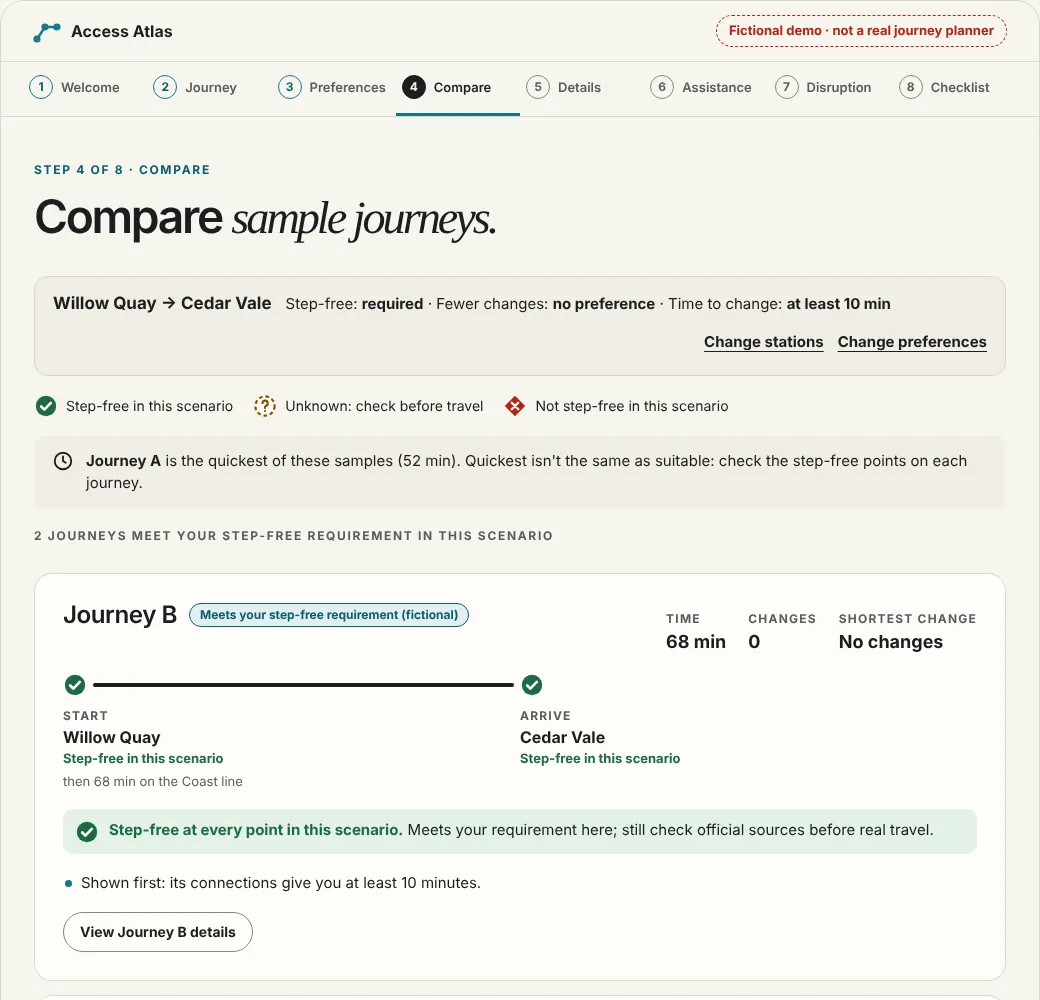
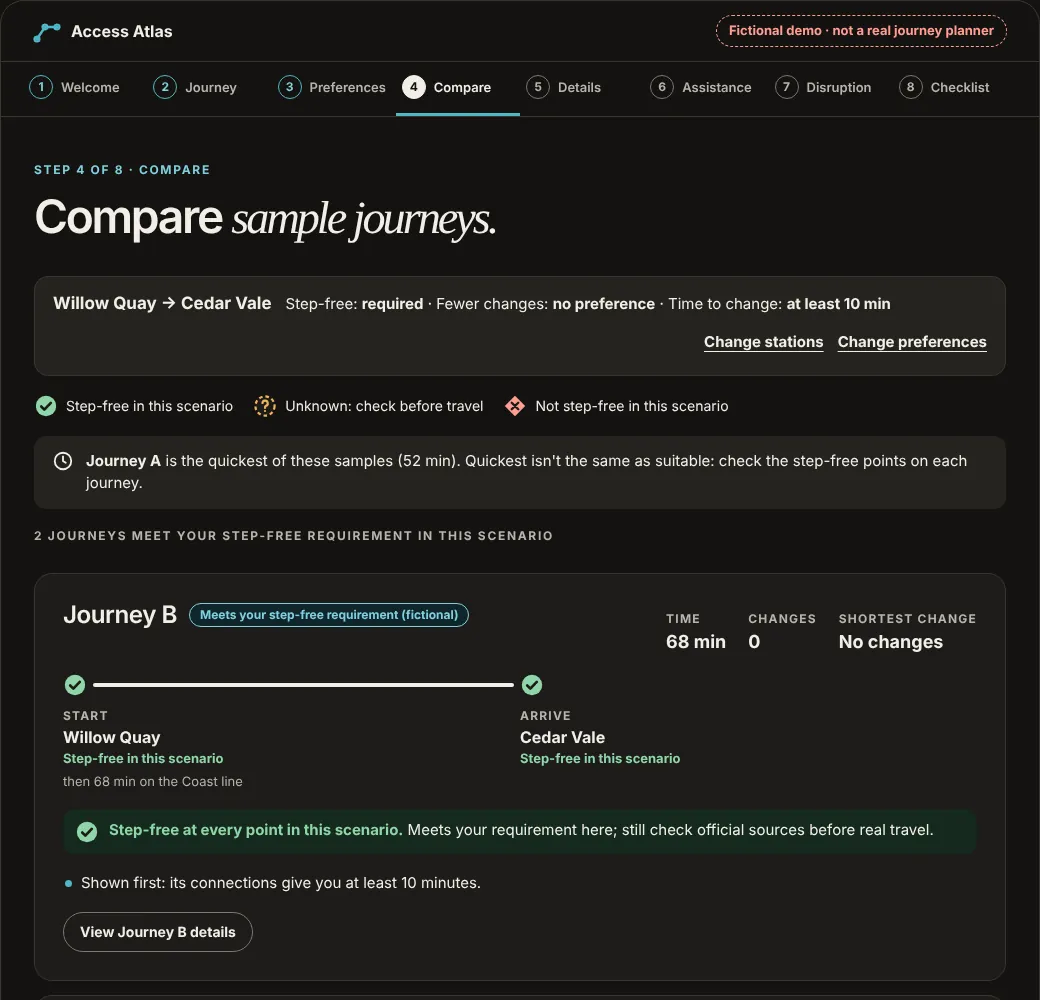
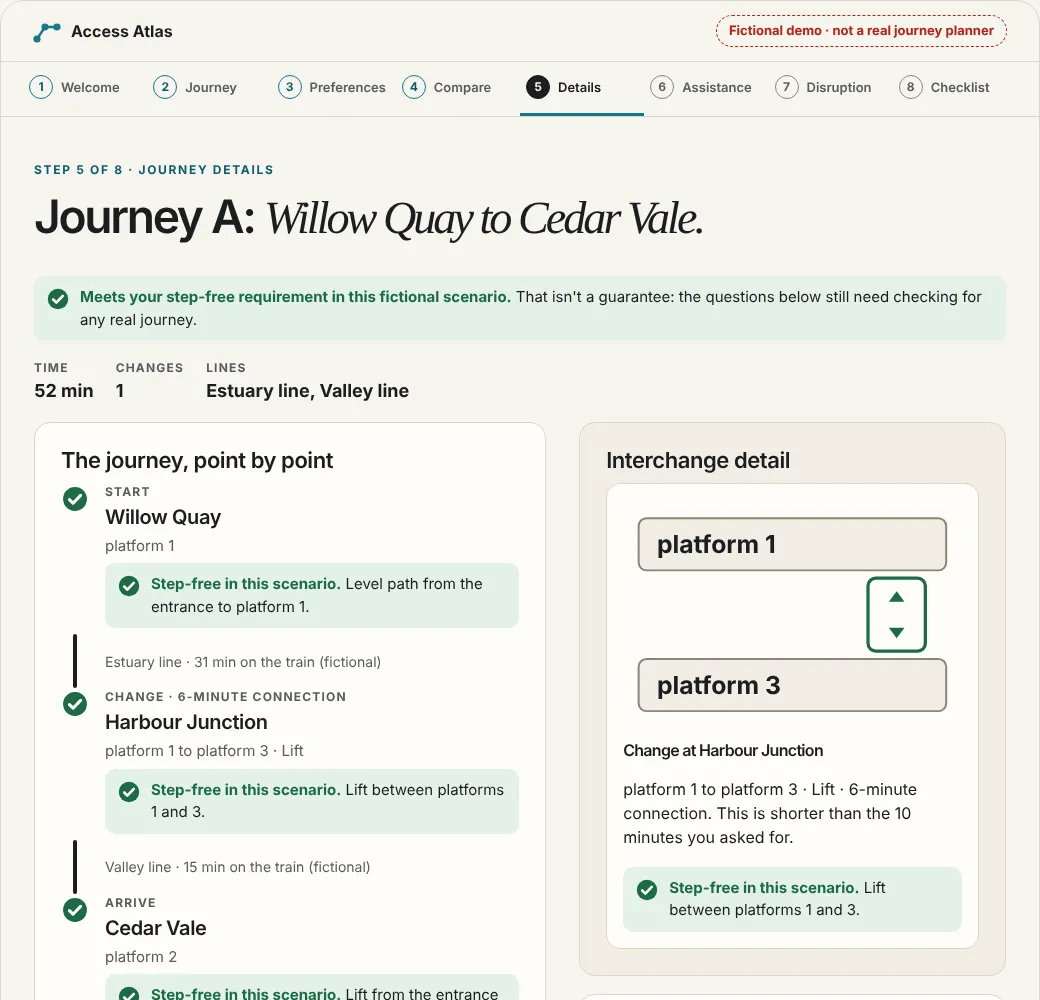
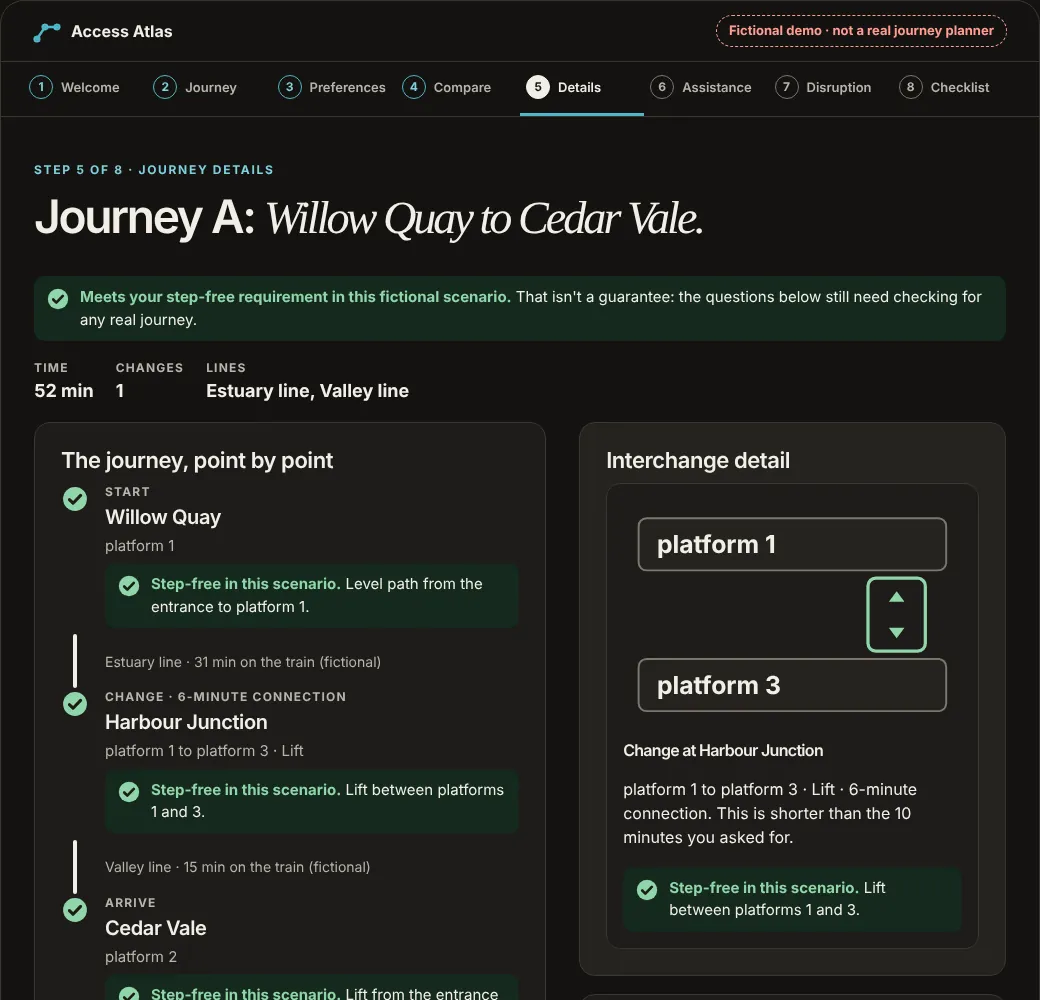
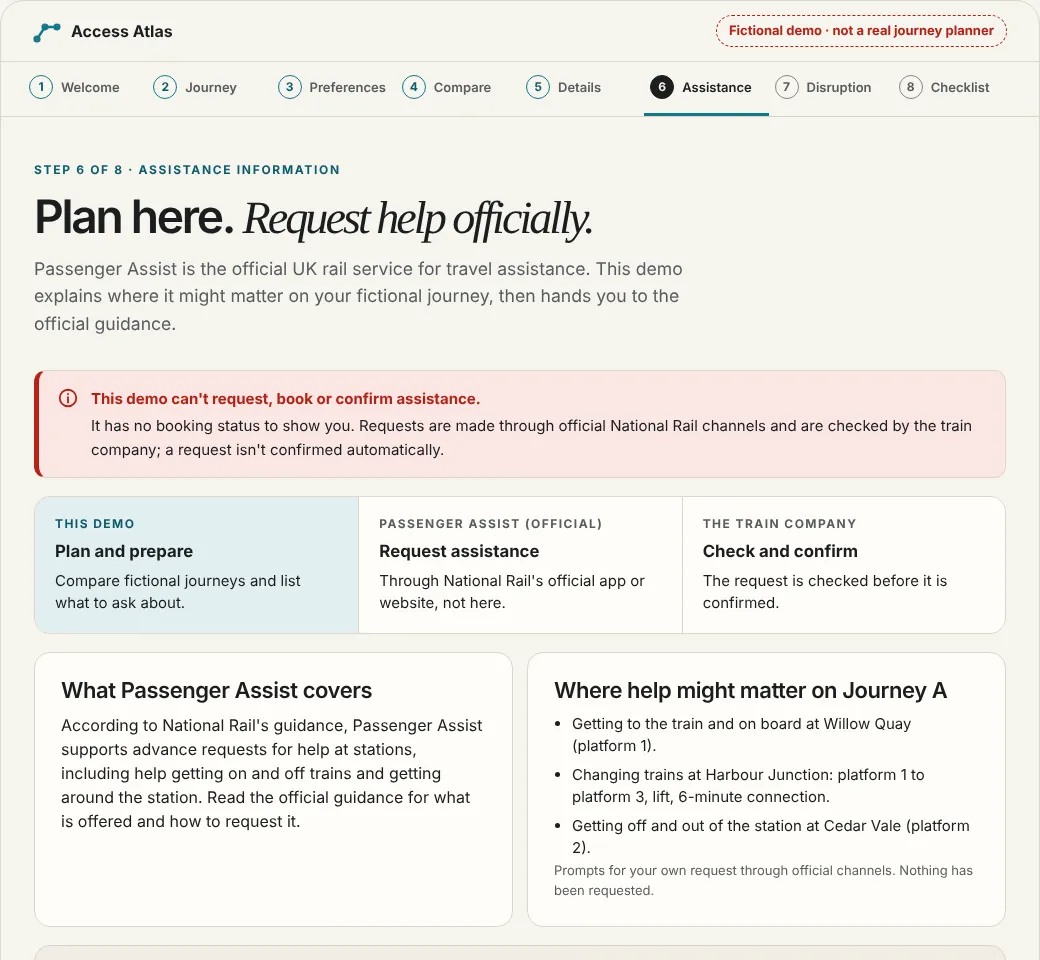
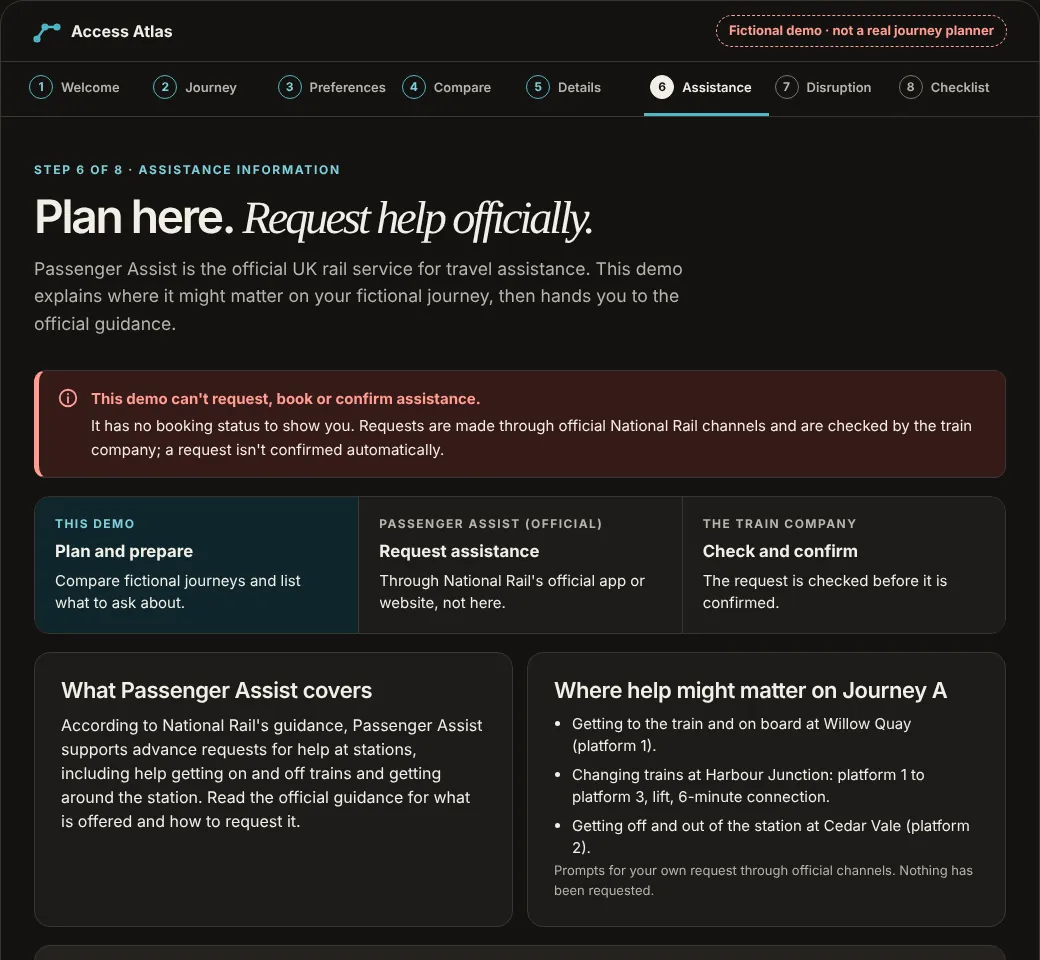
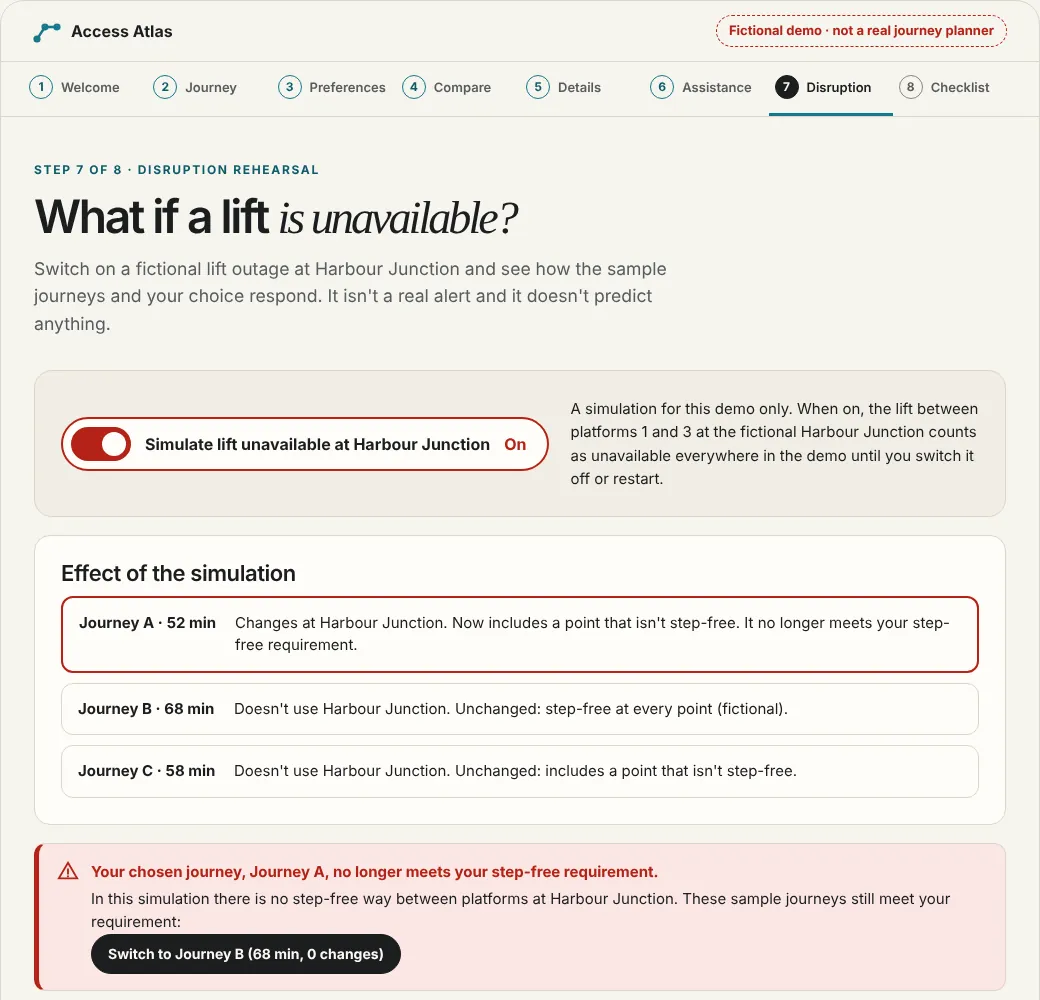
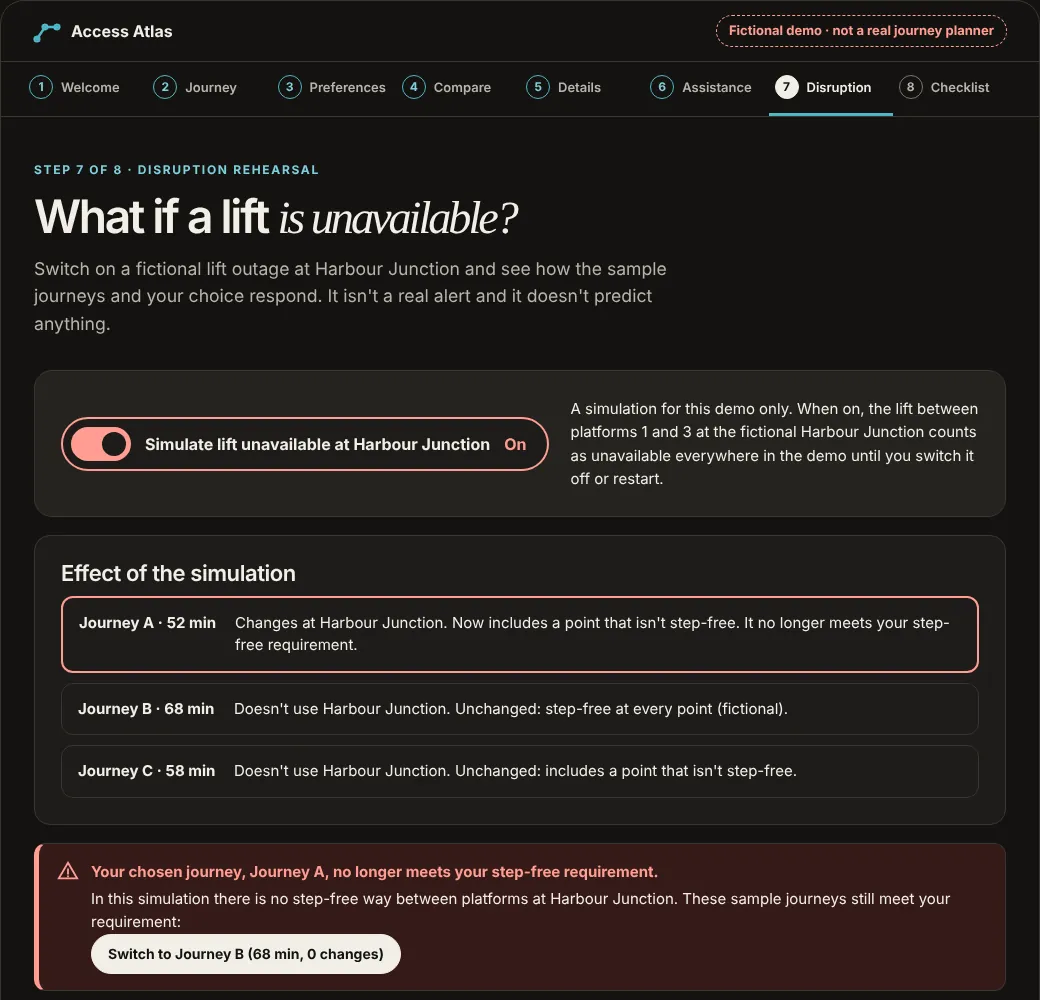
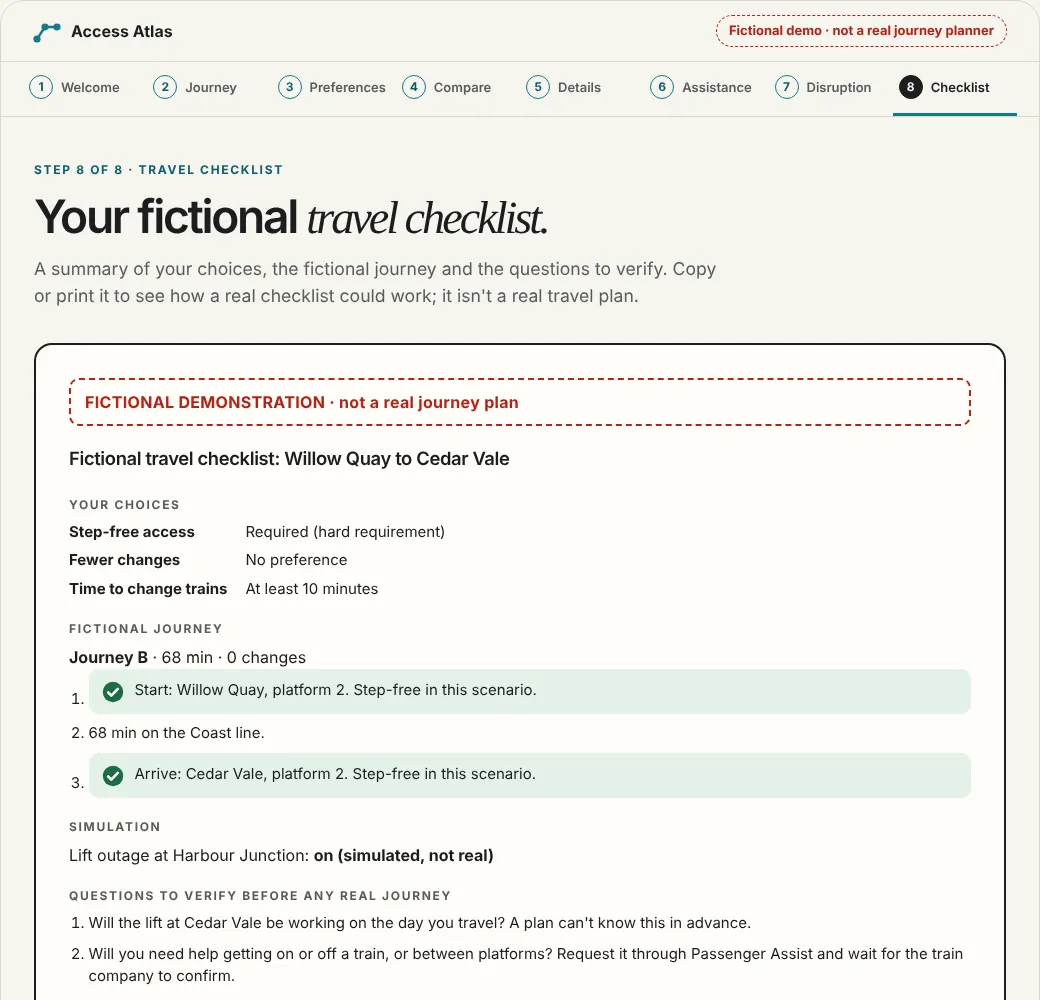
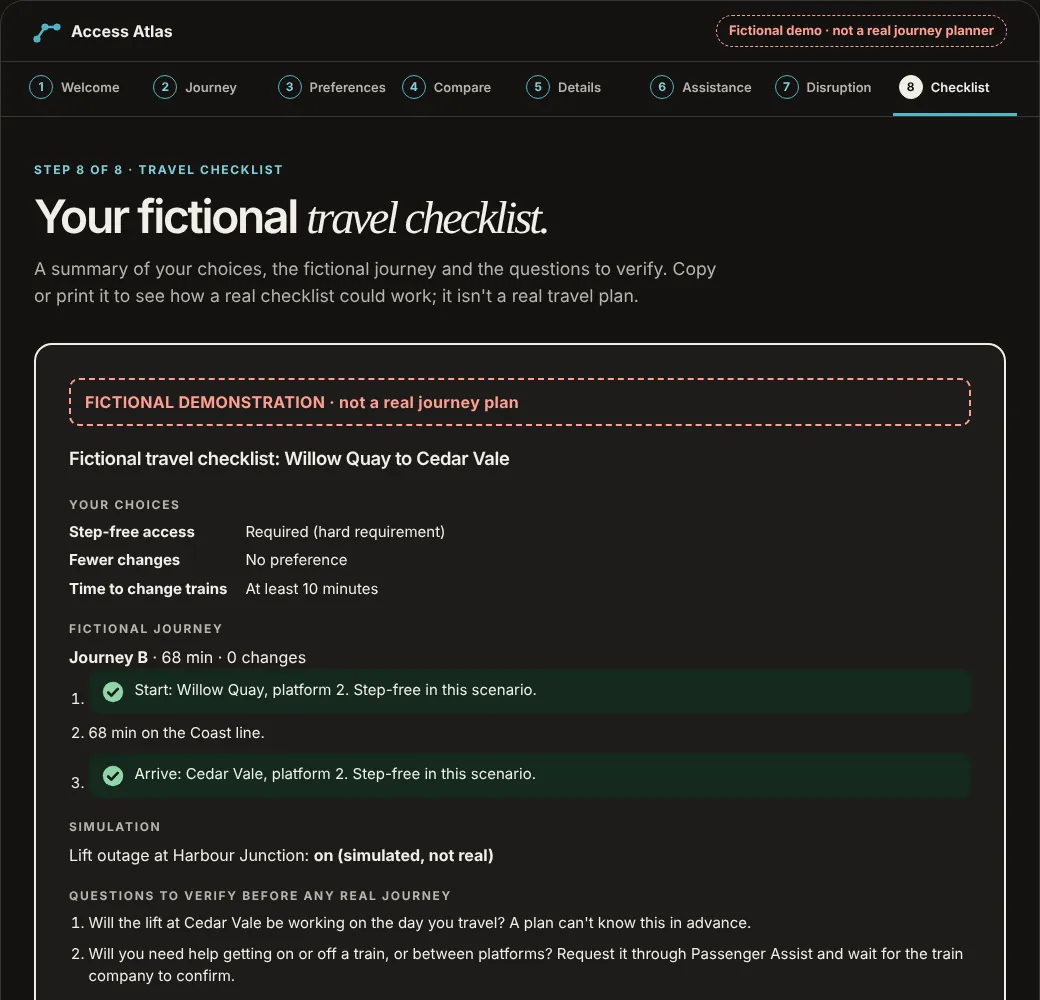
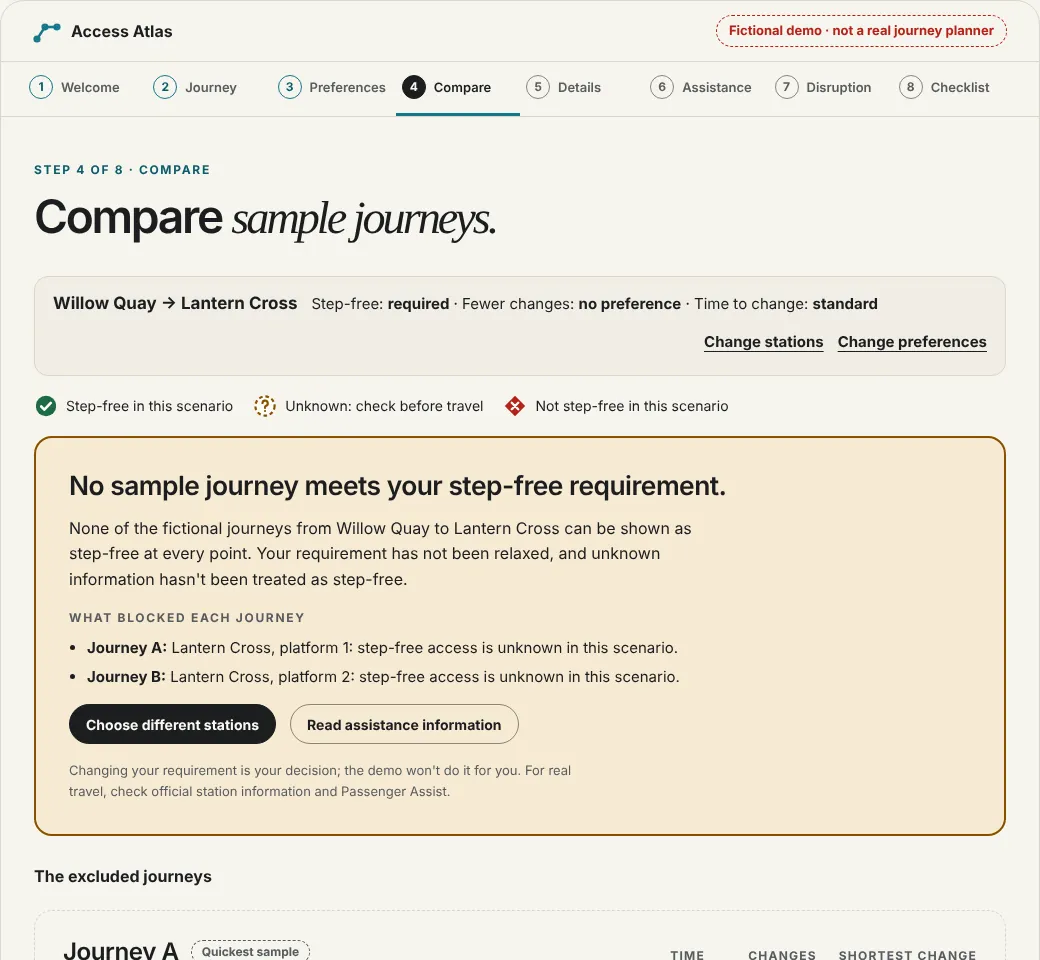
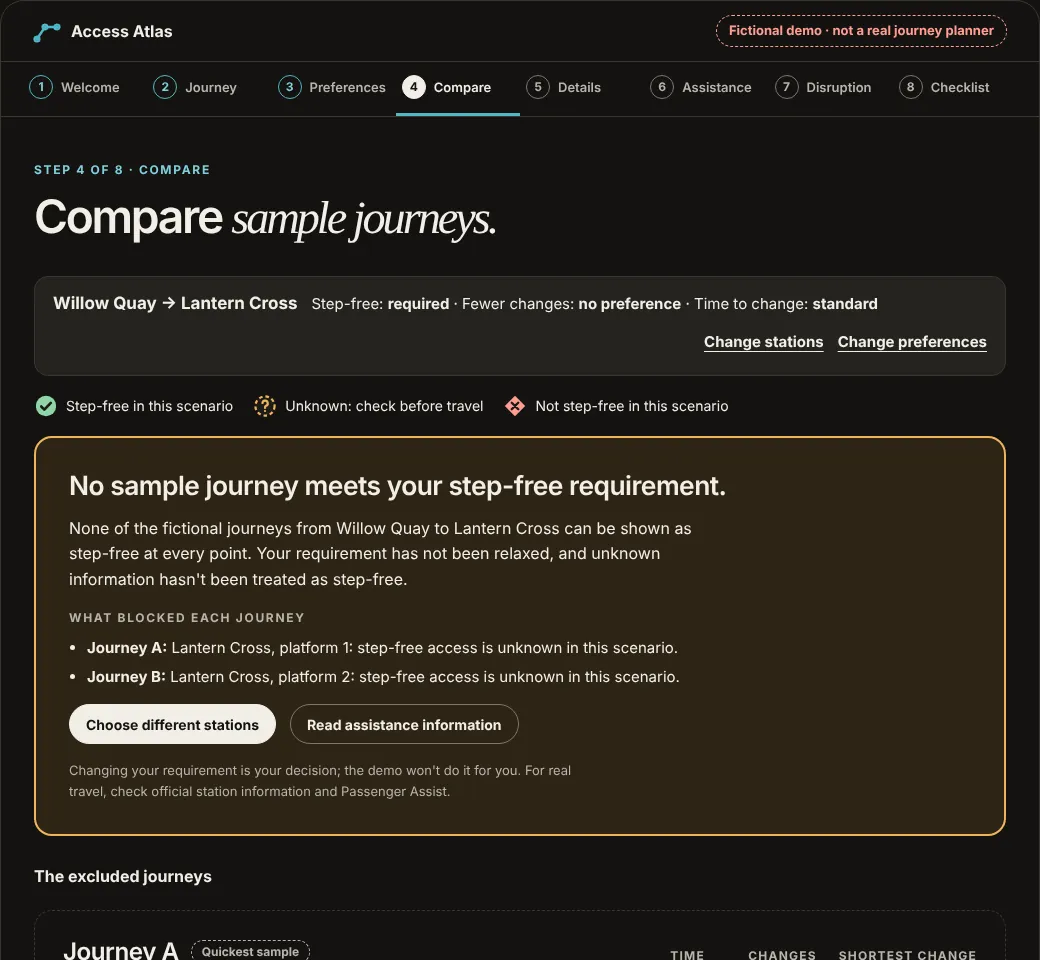
The interactive page is work/access-atlas-prototype.html, linked above. It was built with HTML, CSS and vanilla JavaScript and checked in the browser with automated keyboard, layout and scenario tests. It has not been tested with participants, and all of its data is fictional.
A working prototype would enable real usability tasks, but the existence of a functional demo is not evidence that the planning concept helps passengers. The first research study should examine whether users can make informed choices, spot unverified information and understand that a sample itinerary is not a confirmed real journey.
Can a visitor find an illustrative route that meets the step-free requirement, or understand when no sample option qualifies?
Not yet runCan a visitor identify which fictional station details are unverified and what official information they'd need before travelling?
Not yet runCan a visitor explain why Access Atlas cannot confirm assistance, and find the actual official Passenger Assist process?
Not yet runCan a visitor recognise a simulated lift disruption and choose a reasonable next action instead of trusting outdated sample conditions?
Not yet runAny real service would need appropriate permissions, dependable station/train data, timely updates, error monitoring and information ownership. None is connected today.
Future gate · not startedTest with disabled and older travellers with varied requirements; ensure usable keyboard/screen-reader interaction and review service language with domain experts before a production claim.
Future gate · not startedProposed evaluation measures: task completion, understanding of evidence uncertainty, error recovery, trust calibration and route-comparison comprehension. All are proposed; no participants, outcomes, usability scores, commercial impact or production readiness are claimed.
Improving assisted travel and Information for passengers with disabilities: public accessibility-service context and operator obligations, not study findings produced for Access Atlas.
Passenger Assist and Passenger Assistance app: the external real-world support processes. Access Atlas cannot request or confirm help.
Problem framing, UX principles, fictional journey comparison, information-confidence model and an interactive concept prototype (built 2026, fictional data). These are new portfolio work, not recovered Southeastern project materials or verified participant findings.
No National Rail/operator affiliation, proprietary rail research, confirmed assistance booking, live timetable, working lift-status feed, real-time disruption coverage, route guarantee, validated evaluation or launched product.
All sample stations and route scenarios must be visibly fictional. This design is a UX exploration and cannot be used to plan, book or verify an actual train journey. For real travel, use current official operator, National Rail and Passenger Assist information.